Free quotation template — fill it in the browser, print to PDF
Need to send a quote today? Take the template and go:
It opens right in the browser (Arabic, RTL). Click any text to edit it — your business name, the client, the line items — then hit “print / save PDF”. No sign-up, no software, no fees.
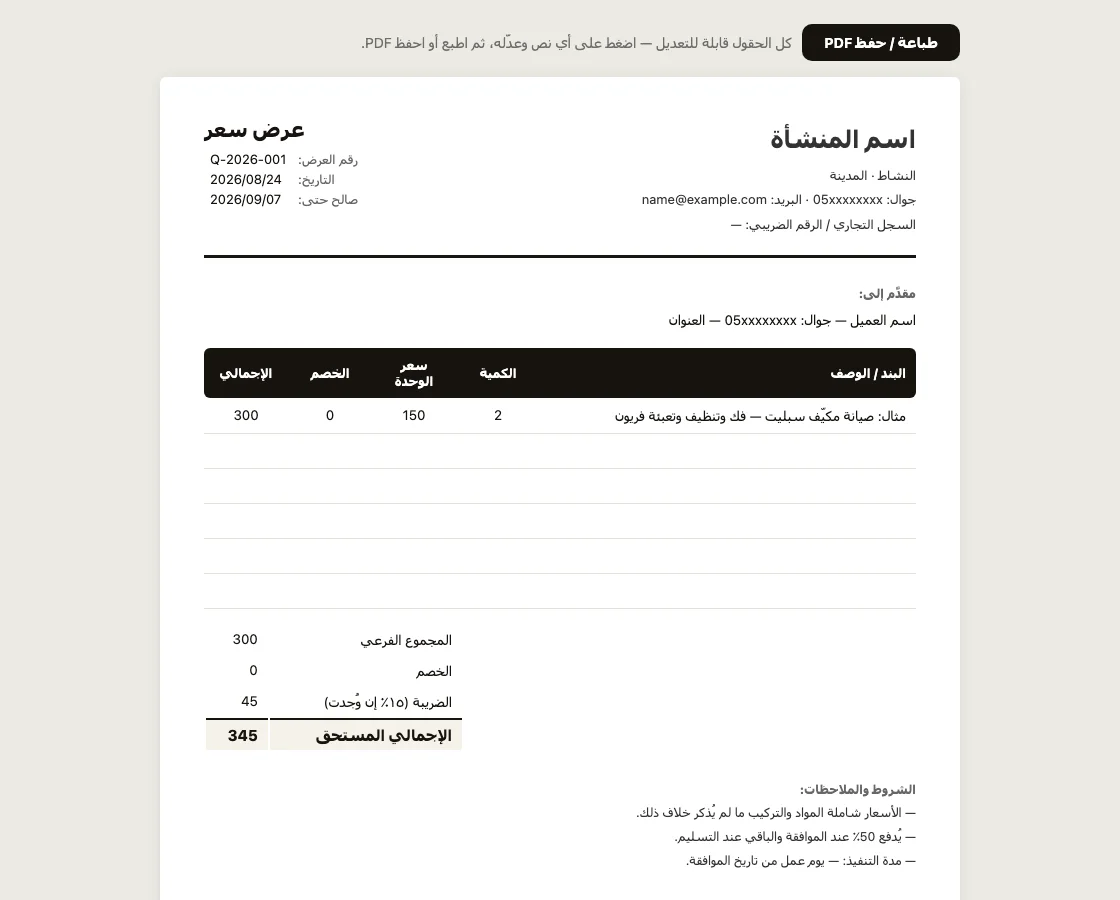
What’s inside:
- your letterhead (name, activity, phone, registration / VAT number)
- quote number, date and validity
- a line-item table: description, quantity, unit price, discount, line total
- totals: subtotal, discount, 15% VAT (delete it if it doesn’t apply), amount due
- terms & notes, plus two signature lines
A template is great for one quote. The trouble starts around quote five
Anyone who has run on templates knows the script: the form gets filled and sent, and two weeks later — “which number are we on, Q-014 or Q-015?” Two copies share a number, an approved quote never becomes an invoice, and a half-paid invoice’s other half lives in someone’s memory.
Numbering and tracking aren’t a job for paper — they’re a job for a small system. So we built one from a single paragraph of plain description, and it does exactly the part the template can’t:
- quotes number themselves (QT-2026-0001, then 0002…) — invoices run their own independent series
- one tap converts a quote into an invoice, and the two stay linked
- payments get recorded — full or partial — and the status and balance update on their own
- same PDF, same WhatsApp sharing, but from your phone and with no files drifting around
The “quick try” button inside opens it with sample data, no registration. If you like it, the full paragraph that built it is published on the invoice-app page — copy it, adapt it to your business, and have your own version in minutes.
Quick questions
Is the template really free? Yes, no strings — it’s a file that opens in your browser, and nothing you type leaves your device.
How do I save it as PDF? “Print / save PDF”, then choose “Save as PDF” in the print dialog (available in every browser, phones included).
Will my edits be saved for next time? No — the template is a clean sheet every time you open it. That’s its natural limit: saving, numbering and tracking are exactly the point where you want a small app of your own instead of a sheet.