Off-the-shelf project tools make you bend your agency around them, and spreadsheets of hours never quite match the invoice. Describe how you run projects — who manages, who works, what the client may see — and whacka builds your own app: PMs create and assign tasks, team members update their own work and log hours, and the client follows progress without ever seeing your hours or budget.
Weekly timesheets lock the moment the PM approves them. Your operations manager sees every project, budget and hour, and exports the monthly hours report to Excel. You create every login yourself, and it works on phones and on desktop. Free to start; free apps stay online for 14 days after each publish, and paid plans start at $3 a week.
Updated · October 27, 2026
PulsePlan — a design & marketing agency
Built from the message below, word for word, in about eleven minutes. Open it and tap “Try it without an account”: see your projects as the PM and approve a week of hours, then switch to the team member to find those hours approved, and to the client to see only progress — with sample data that stays on your device.
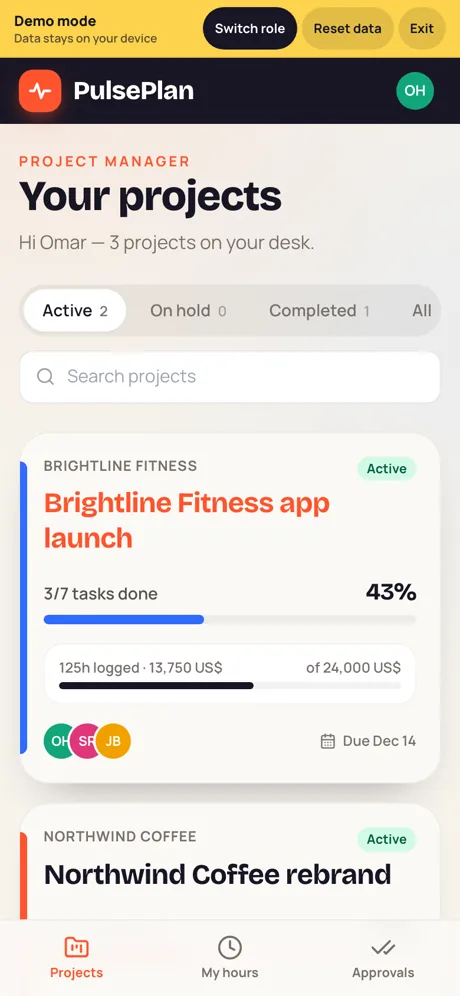
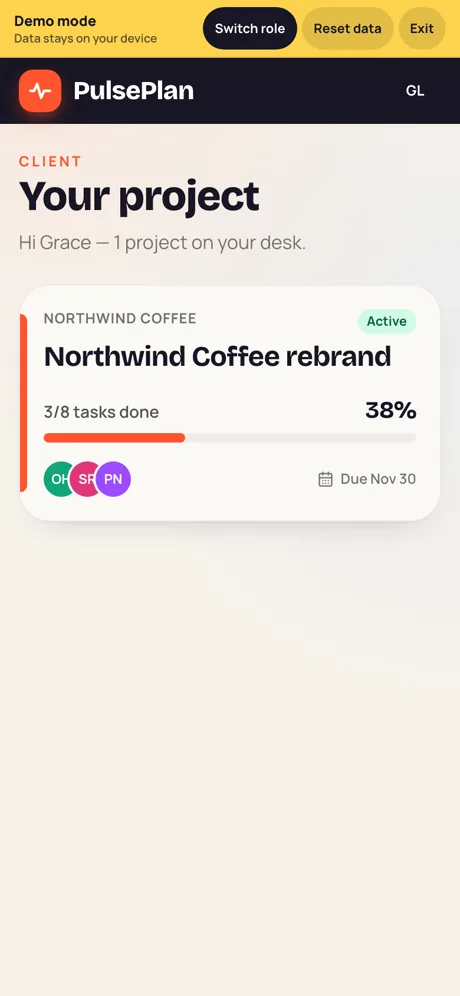
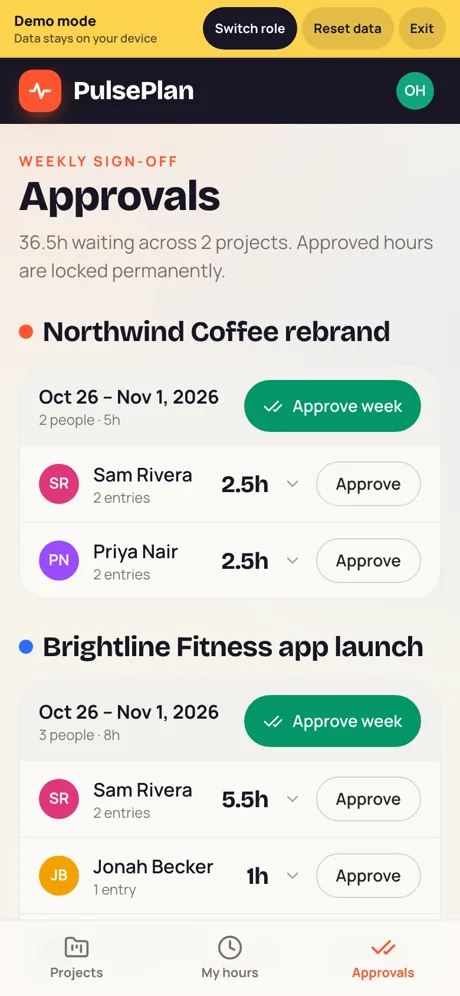
I run a small design & marketing agency and need an app to manage our client projects. - We run several projects at once. Each project has a project manager (PM), a few team members, and one client contact. - Staff log in with a username and password that I create. Clients also get a login from me. Only I can create or remove accounts. - PMs create tasks in their projects and assign them to team members. Team members can only change the status of tasks assigned to them (To do / In progress / Done). Only the PM can close or reopen a task. - Team members only see the projects they're on. A PM only sees their own projects. - A client only sees their own project's tasks and progress — never our internal comments, logged hours or the budget. Clients can comment and approve deliverables. - Team members log hours on tasks; the PM approves timesheets every week. Once approved, nobody can edit those hours. - Our operations manager sees all projects, budgets and hours, and exports a monthly hours report to Excel. - It should work well on phones and on desktop.
- We signed in as every role with real accounts and also called the server directly: team members and PMs see only their own projects
- The client never sees logged hours, the budget or internal comments
- Team members change the status of their own tasks only; only the PM closes or reopens a task
- Approved hours can’t be edited by anyone; in demo mode, approving the week turned the member’s 8 hours to “Approved”
What you can build
Describe any of these — whacka builds it.
Good to know
Is it free?
Free to start: the free plan gives 8 credits a day (up to 24 a month) — enough to build, refine and publish a first app, with no card. On the free plan a published app stays online for 14 days after each publish; paid plans start at $3 a week or $10 a month. Running the app itself — data, storage, notifications — uses no credits.
How many logins can I create?
You create them yourself — staff and clients alike, each with a username and password. They count against your Whacka account: 5 on Free, 10 on Starter, 30 on Pro and 100 on Ultra; for more, email wow@whacka.app.
Are the permissions real, or just hidden buttons?
The core rules in these apps — who sees what, who approves, and locking a request once it is approved — run on the server itself, not just on the screen. We tested them with real accounts for every role and tried to reach the data directly, behind the screens; what held is listed under the app above. When you build yours, spell out who sees what and who approves what, the way the message does.
Is it a full project-management suite?
It’s the app your agency described — nothing you didn’t ask for. If you want a timeline view, client invoices or a chat per project, ask for it in chat to add it to the same app.