Receipts in a drawer and a float nobody can state until month-end. Describe who hands out cash and who approves, and whacka builds an app where staff log each expense with a photo of the receipt from the site, their manager approves, the accountant signs off above a limit you set, and the amount comes off their float automatically.
Everyone sees only their own expenses and float, managers see their department, and the accountant and owner see everything. An expense can be edited until someone responds and locks once approved; the monthly report per person and per department exports to Excel. Free to start; free apps stay online for 14 days after each publish, and paid plans start at $3 a week.
Updated · October 27, 2026
Raseedi — petty cash and expenses for a contracting company
Built from the message below — written in Saudi Arabic — in about ten minutes. Open it and tap «جرّب التطبيق بدون حساب» (try it without an account): log an expense with a receipt photo as the employee, approve it as the manager, then as the accountant if it is 500 riyals or more — with sample data that stays on your device.
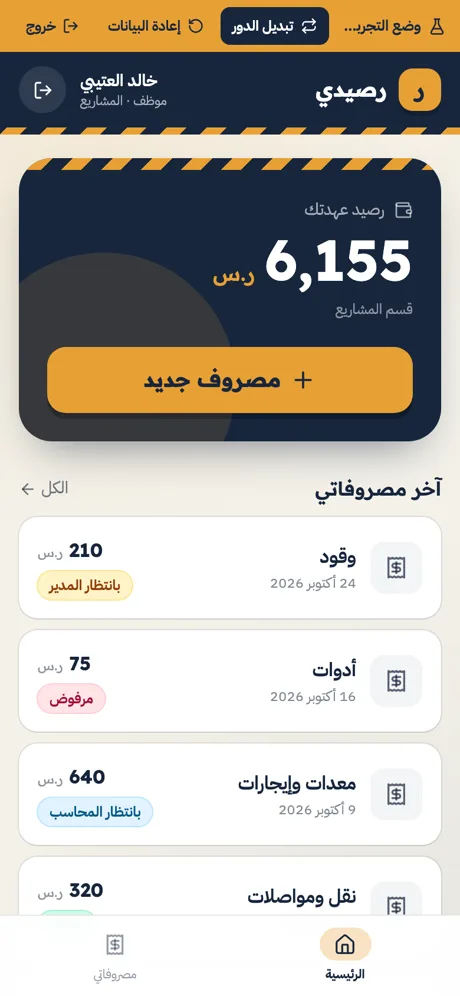
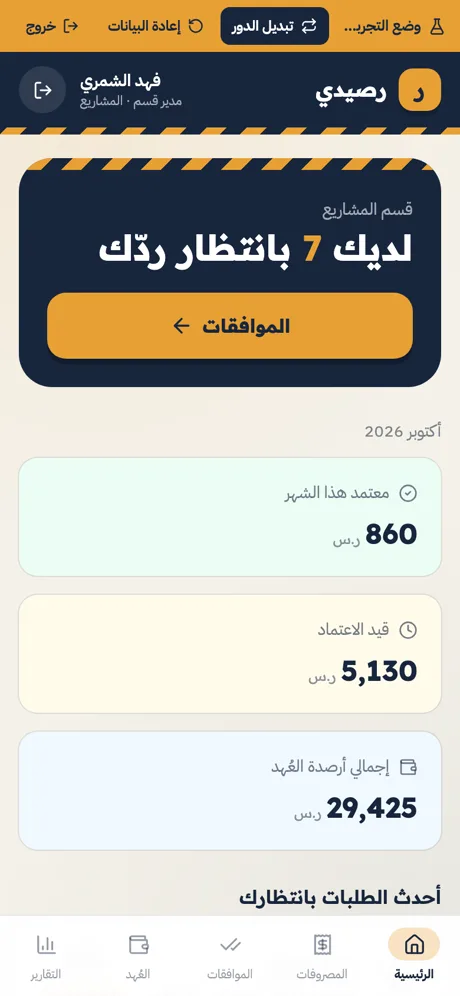
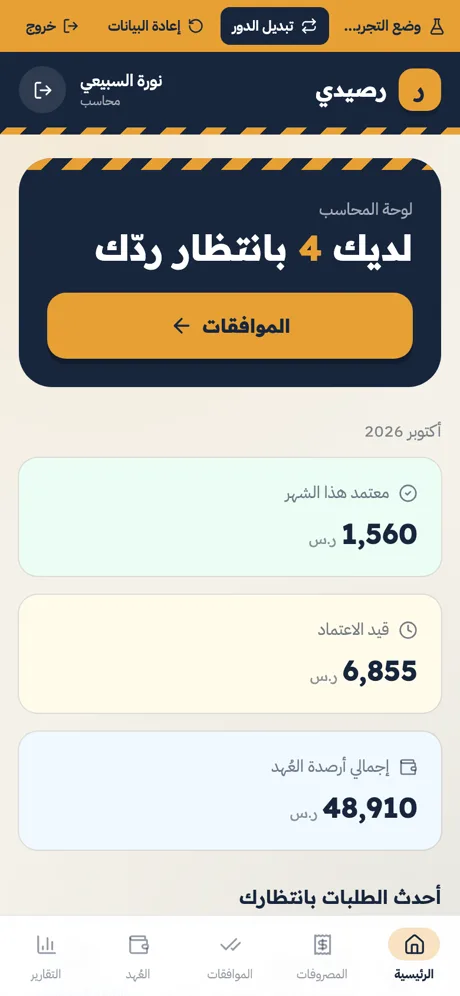
أبي تطبيق لإدارة العُهد والمصروفات في شركتنا (شركة مقاولات). عندنا قسمين: المشاريع والصيانة، ولكل قسم مدير، وعندنا محاسب. - المحاسب يصرف لكل موظف عهدة (مبلغ)، والموظف يسجّل مصروفاته منها: المبلغ والبند والتاريخ وصورة الفاتورة. - المصروف أقل من ٥٠٠ ريال تكفي موافقة مدير القسم. المصروف ٥٠٠ ريال وأكثر لازم بعد موافقة المدير يعتمده المحاسب بعد. - إذا اكتمل الاعتماد ينخصم المبلغ من رصيد عهدة الموظف تلقائياً، والرصيد ما ينزل تحت الصفر. - الموظف يقدر يعدّل مصروفه أو يحذفه قبل ما يرد عليه المدير. بعد الاعتماد ما أحد يقدر يعدّله أو يحذفه. - يتسجّل مين اعتمد ومتى. - الموظف يشوف مصروفاته ورصيد عهدته بس. المدير يشوف مصروفات قسمه بس. المحاسب وأنا نشوف الكل. - إضافة عهدة أو تعديل رصيدها للمحاسب فقط. - أنا اللي أسوي حسابات الدخول للموظفين (اسم مستخدم وكلمة مرور). المحاسب والمديرين ما يديرون الحسابات. - تقرير شهري لكل موظف ولكل قسم وتصديره Excel. التطبيق بالعربي.
- We signed in as every role with real accounts and also called the server directly: an employee sees only their own expenses and float, and a manager only their department
- An employee can’t create an already-approved expense, and an approved expense can’t be edited by anyone
- Who approved and when are recorded by the system, and the float never goes below zero
- In demo mode: a 650-riyal expense went through the manager and the accountant, and the float went from 6,155 to 5,505
What you can build
Describe any of these — whacka builds it.
Good to know
Is it free?
Free to start: the free plan gives 8 credits a day (up to 24 a month) — enough to build, refine and publish a first app, with no card. On the free plan a published app stays online for 14 days after each publish; paid plans start at $3 a week or $10 a month. Running the app itself — data, storage, notifications — uses no credits.
How many staff logins can I create?
You create them yourself inside the app — a username and password per person, no email needed. They count against your Whacka account: 5 on Free, 10 on Starter, 30 on Pro and 100 on Ultra; for more, email wow@whacka.app.
Are the permissions real, or just hidden buttons?
The core rules in these apps — who sees what, who approves, and locking a request once it is approved — run on the server itself, not just on the screen. We tested them with real accounts for every role and tried to reach the data directly, behind the screens; what held is listed under the app above. When you build yours, spell out who sees what and who approves what, the way the message does.
Can I change the 500 limit or the approval steps?
Yes — write your limits and steps into the description, or change them later in chat: a different limit per department, or the owner’s approval above a bigger amount.
What doesn’t it do?
It isn’t full accounting software — no journal entries, budgets or tax filings. It’s the float, the expenses and their approvals, with a monthly Excel export for your accountant.